
- Log In to Your Account
1.1. Access the Login Page: Go to account.wegeex.com and log in to your account using your credentials.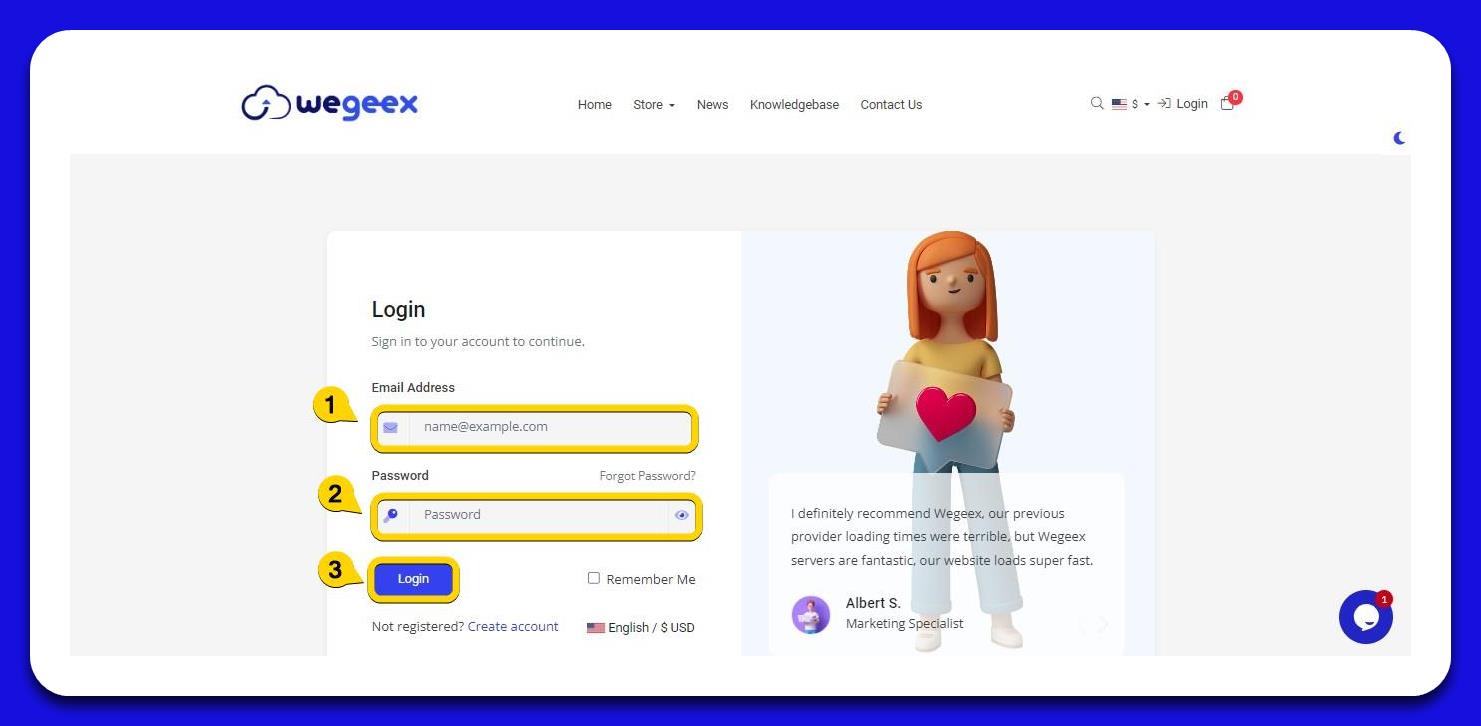
- View Pending Invoices
2.1. Navigate to Invoices: Once logged in, click on the "Invoices" option to view your pending invoices.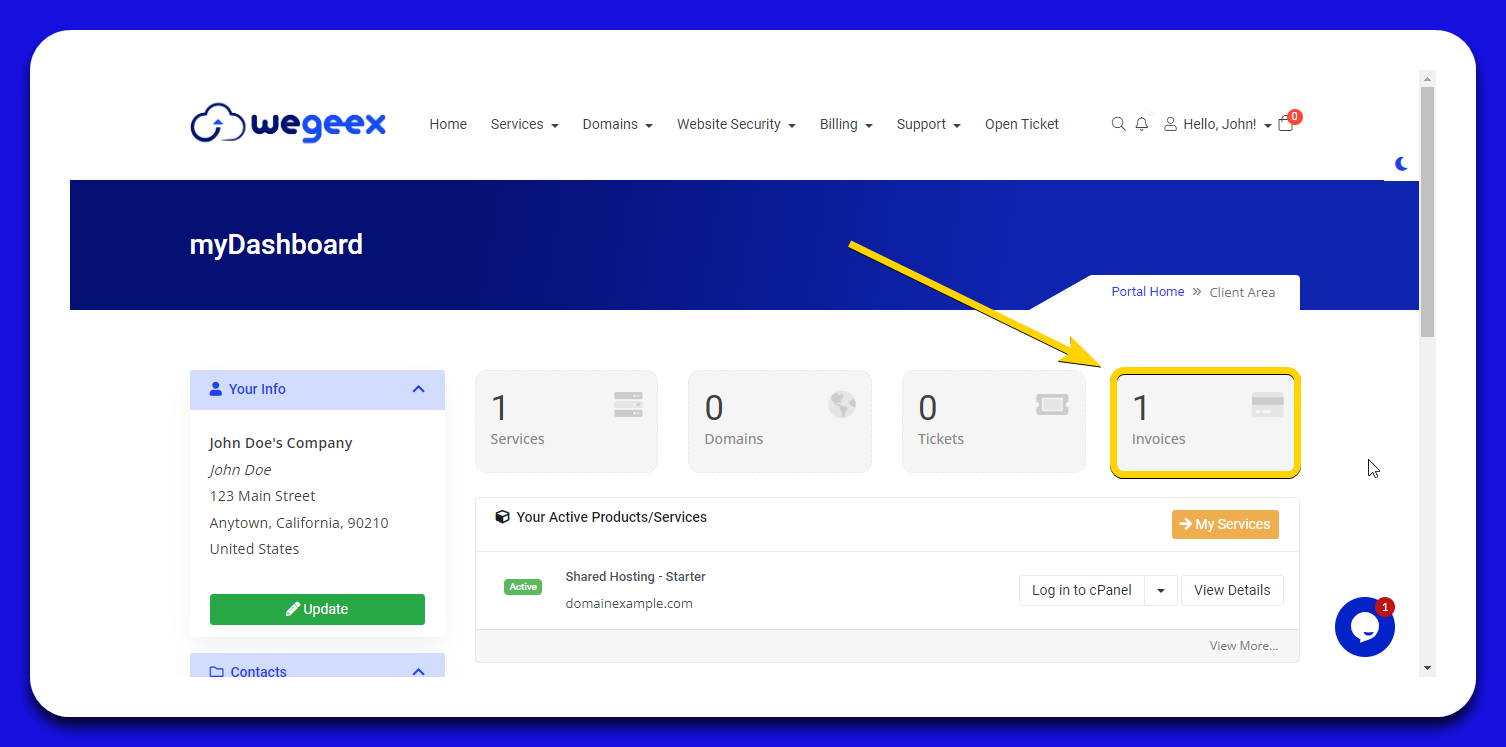
- Select the Invoice to Pay
3.1. Choose the Invoice: Select the invoice you want to pay from the list of pending invoices.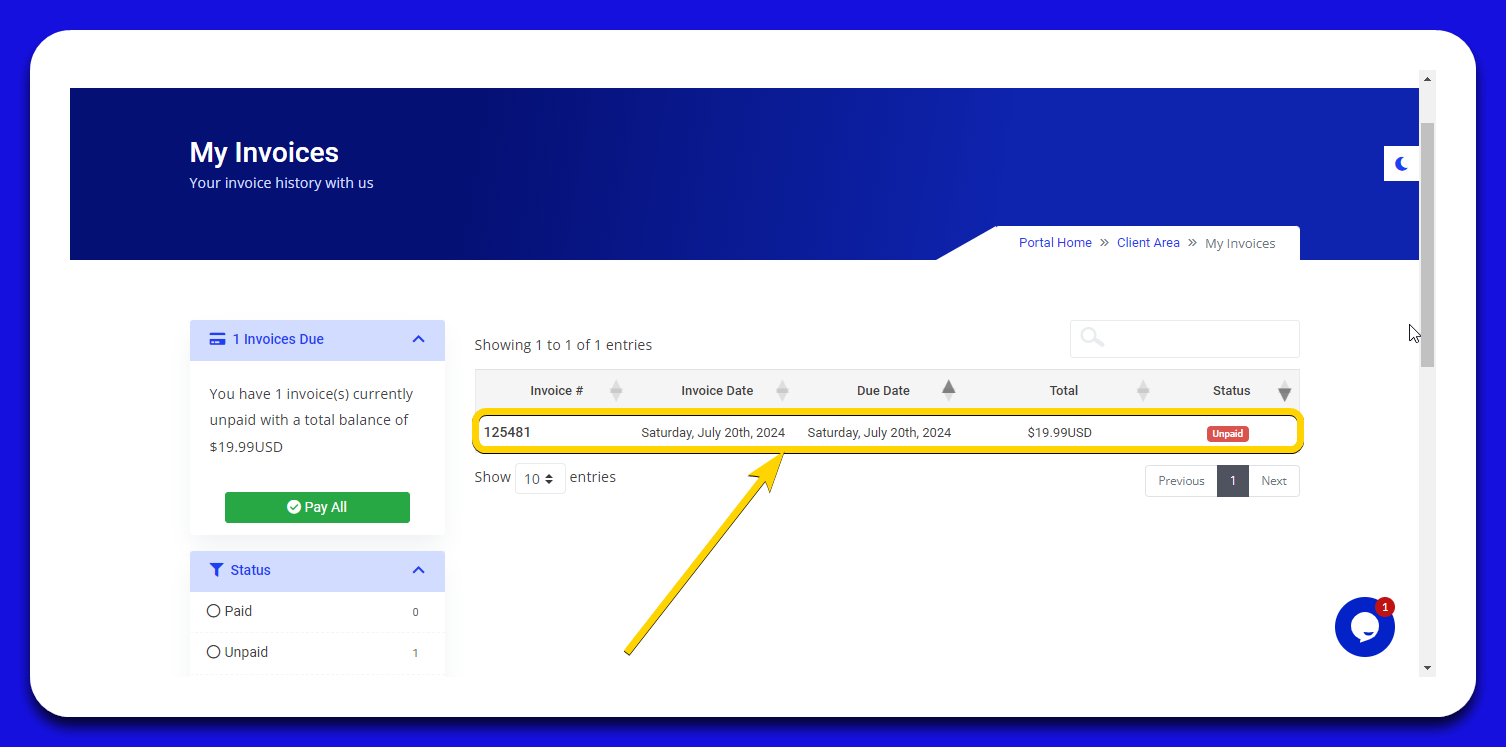
- View Invoice Details
4.1. Open the Invoice: The invoice will open in a new browser tab.
4.2. Review Invoice Items: In the "Invoice Items" section, you can see a detailed breakdown of the payment due on your invoice.
4.3. Proceed to Payment: Click on the "Pay Now" button to continue with the payment process.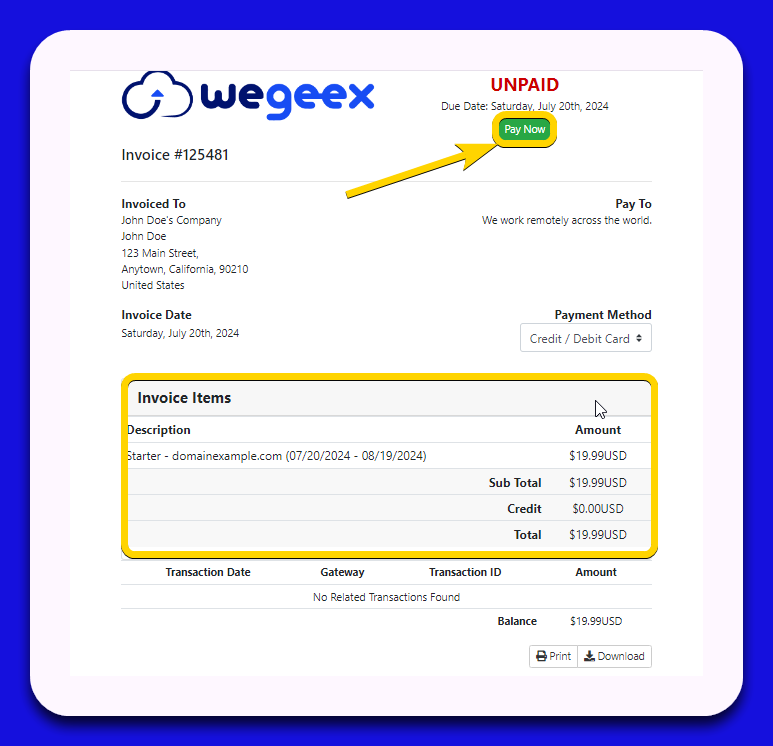
- Complete the Payment
5.1. Enter Payment Information: In the checkout area, enter your credit or debit card details to make the payment.
5.2. Submit Payment: Once you have filled in the payment method information, click on the "Submit Payment" button to complete the transaction.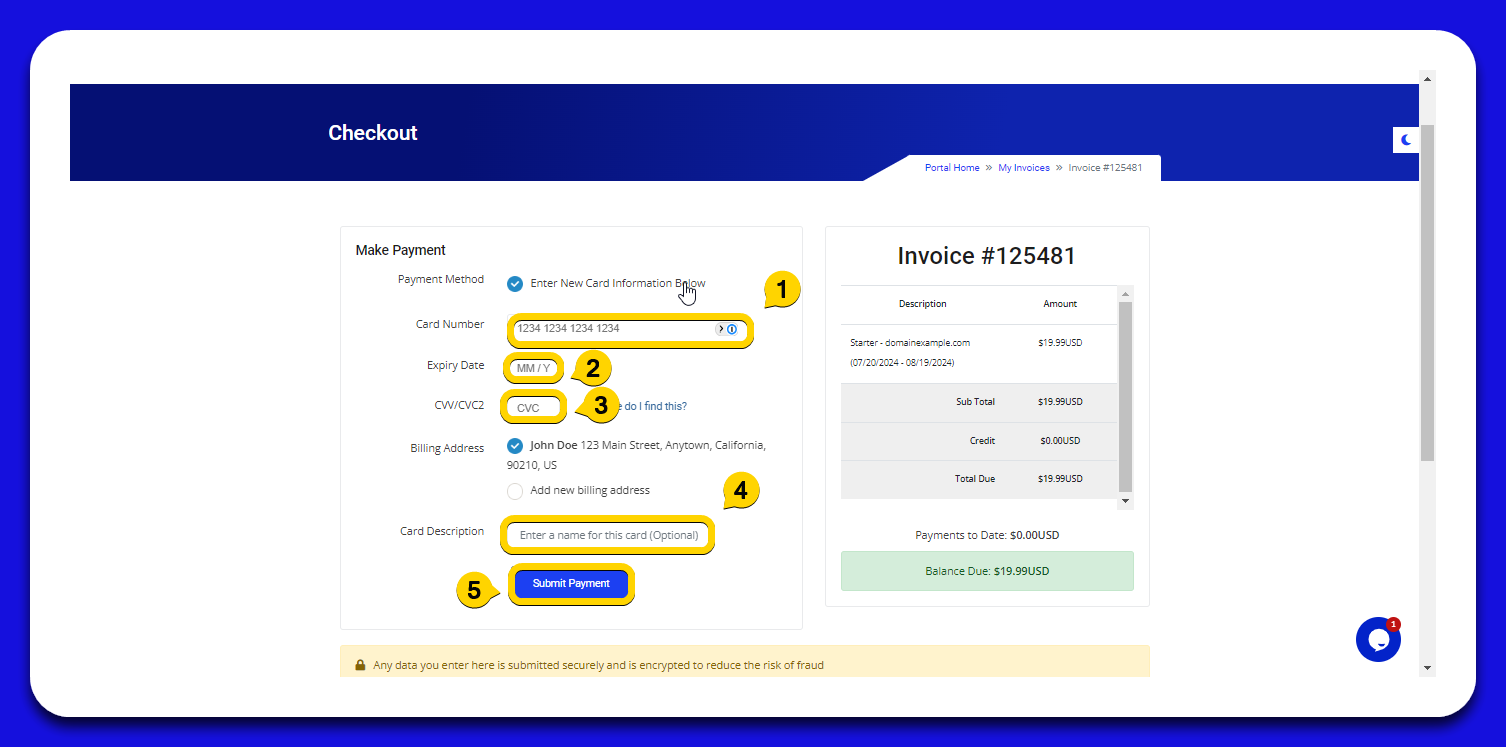
Important Note:
Payment Errors: If you encounter an error while making the payment, you need to create a ticket for the billing department.
They will assist you in reviewing and resolving any issues with your payments.